 penui
penui
made of parts
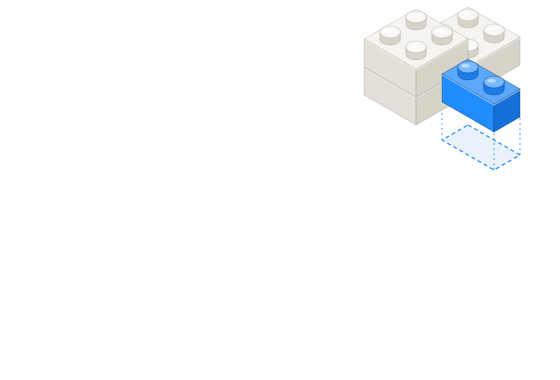
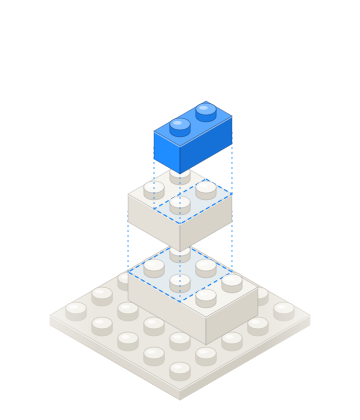
Each component is built from smaller pieces your AI can reuse on their own. Hover one to see what it’s made of.
roblox ui library for ai agents
800+ game UI components from 11 packs — shops, HUDs, battle passes, inventories and more. Connect it to your AI, ask for a screen, and it builds it in Roblox Studio for you.
slots-anime components, placed at their stored offsetInParent.11 packs of ready-made roblox ui
the library
Shops, HUDs, battle passes, inventories and more, in many different styles. Scroll through what your AI gets to work with.
easy to edit
Every component comes split into its parts — background, buttons, icons, text. Your AI can move them, resize them and change the words, so the screen fits your game.
Each component is built from smaller pieces your AI can reuse on their own. Hover one to see what it’s made of.
Text stays editable, in the original font and colors. Your AI can write whatever your game needs. Type to try it.
built to fit
Every component comes with the details your AI needs — size, fonts, colors and where it goes. That’s why the screens come out clean, not messy.
Panels and buttons stretch to any size and keep their corners and borders sharp. Drag to try it.
Your AI builds each screen from one pack, so the shop, the header and the close button all share the same style.
palette
fonts
text sizes
how it works
Write one sentence, like “a shop with two gamepass cards and a close button”. Your AI finds the right pieces in the library and builds the screen in Roblox Studio for you.
Example: the prompt “build me a shop screen with two gamepass cards and a close button” leads the agent to call search_components, get_component and compose_screen on the penui MCP server. compose_screen returns one Luau script that the Roblox Studio MCP runs with execute_luau, creating a ScreenGui named ShopScreen built from stud-shop components.
Claude, Cursor, Windsurf or any other tool that supports MCP. Add a short config entry and it’s connected.
Clients: Claude Code, Claude Desktop, Cursor, Windsurf, Zed.
{
  "mcpServers": {
    "penui": {
      "command": "node",
      "args": ["mcp/server.mjs"]
    }
  }
}Your AI can build buttons, panels and bars out of Roblox’s own parts, so you can try it right away. Upload the images later for the exact look.
Icons and detailed art need their images on Roblox. Your AI can upload them for you with a Roblox Open Cloud key.
get started
Start free with 3 packs. Want the full library? Compare plans.
{
  "mcpServers": {
    "penui": {
      "command": "node",
      "args": ["mcp/server.mjs"]
    }
  }
}
stdio · node 20+ · works with any MCP client
Any MCP-capable client: Claude Code, Claude Desktop, Cursor, Windsurf, Zed and others. The server speaks standard MCP over stdio and needs Node 20+.
No, not to start. Your AI builds buttons, panels and bars from Roblox’s own parts. For the exact art, the images get uploaded once — your AI can do it with an Open Cloud key, or you can do it by hand.
Yes. Screens scale to fit any device, and panels stretch without warping their corners.
Yes. Every piece stays editable — text, colors, size and position.
From Figma files made by UI designers, turned into Roblox-ready pieces. Check each pack’s license before you redistribute it.
Starter is free forever, with 3 packs. Paid plans unlock the whole library from €15/mo billed annually — see the full breakdown on the pricing page.